
An easy-to-use iOS simulator
iPadian is an easy-to-use iOS simulator for Microsoft Windows PCs. It lets you get the feel and look of Apple’s latest version of iOS on your desktop or laptop. The software comes with various functions, including dedicated Facebook widgets, easy-to-access sidebar for the App Store, TvOS, WatchOS, iMessage, and Siri. The program offers a wide range of features reserved for only Apple users on your Windows 7, Windows 8, or Windows 10 PC.
Access your iPhone apps on Windows
With the iPadian download, you can use an iOS theme on your computer. Simply put, the tool lets you run iOS for Windows without disruptions. Because Apple’s intuitive and fluid applications come with multiple restrictions in an open market, a lot of Apple users look for alternatives that let them emulate the iOS experience on a PC. iPadian is the perfect choice to duplicate the functions of iOS on Windows.
How does iPadian work?
iPadian isn’t an actual simulator. However, it can perfectly simulate the iOS theme or interface on a Windows PC. It opens a new window and uses native Windows OS applications, files, and software to turn your default theme into a replica of iOS.
To use the program, you need to install Adobe Air on the PC. It’s worth mentioning that iPadian download will not provide you with unrestricted access to all the iPad apps. The software supports limited but quite a few popular pre-packaged applications to run on Microsoft Windows.
That said, you can still enjoy the complete interface of the iOS environment. You can conveniently use and access videos, photos, music, free games, social networking, and email clients on your Windows PC.
How to use iPadian?
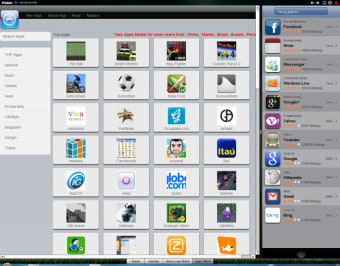
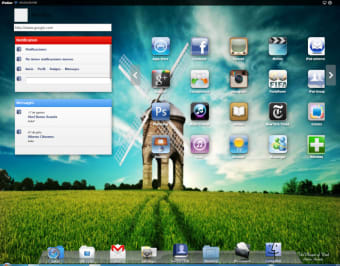
Once you’ve installed iPadian on your computer, you’ll instantly notice the basic iOS interface. The program displays the ‘Dashboard’ and relevant ‘Shortcuts’ to multiple apps. While these can’t be uninstalled or modified, you can install new apps supported by the program.
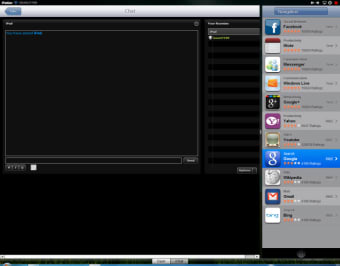
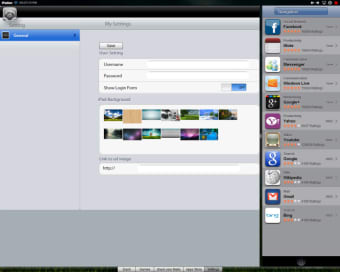
From the ‘Dashboard’, you can access Facebook widgets, a range of app icons, a search bar, and a dedicated space with apps like Instagram and YouTube. In the right-side panel, the tool gives you a list of applications that work as shortcuts to your favorite apps.
While a lot of applications and programs have been specifically designed for this iOS simulator, not everything works perfectly. Occasionally, you might experience lags and crashes. Though you won’t get a completely functional iOS device, you’ll still be able to use a virtual recreation.
If you’re new to iOS, this program can help you learn more about using Apple’s operating system. Given that the program is lightweight, you shouldn't notice any major impact on the system resources.
iPadian download also comes in a Pro version, which is installable after making a nominal payment. This version supports more apps, including Snapchat and WhatsApp, and doesn’t feature any disruptive advertisements.
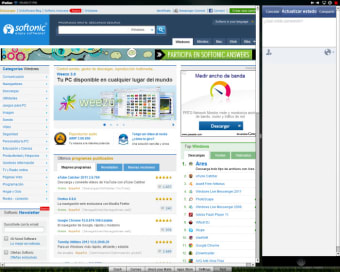
iPadian only runs in fullscreen mode. In the bottom right corner of the screen, you’ll find the button to access your native Windows desktop. It’s a convenient way to shuffle between iOS for Windows and other programs in the background.
Which apps does iPadian support?
While iPadian offers support for a limited number of applications, the package comes integrated with many choices. If you’re an average user who doesn’t use heavy or complex apps, this program will be sufficient for your needs and requirements. In fact, you’ll be able to use more than 300 popular apps designed to work with iPadian.
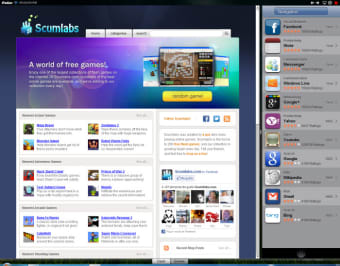
The software supports a Facebook app, task reminder, calculator, clock, YouTube Viewer, music player, audio mixing tool, photo editor, image viewer, and a wide range of free iOS games. Additionally, the tool provides you with access to iPad device settings, such as general tools, sounds, battery, Wi-fi, mobile data, and more.
What are the drawbacks?
Although iPadian is a decent choice for an iOS emulator, it has a few drawbacks. For instance, the installation package tries to download third-party apps on your PC. If you’re using a good antivirus program, these apps might be tagged as malware and disrupt your user experience.
While downloading the program, it’s important to go through all the steps carefully. If you’re concerned about privacy and data policies, you should read the terms and conditions before installing the tool on your PC.
iPadian still performs the functions as advertised, and doesn’t cause a lot of issues. There’s also a well-hidden drop-down option, which lets you uncheck third-party apps during the installation process.
Before using iPadian, it’s better to have a trustworthy, full-version antivirus program on your PC. It will help protect your computer from unnecessary downloads, malicious files, and other kinds of threats.
The iPadian development team also earns revenue by displaying advertisements in the simulator. Your experience might therefore be disrupted with pop-ups every now and then.
What are the alternatives?
Considering the few drawbacks, you might want to check out some alternatives. If you want to emulate an iPad’s experience on your Windows PC, iPad Launcher is a good choice. It’s free desktop customization software that lets you launch the iPad theme on your computer.
Similarly, Mac OS X Theme is a good option to launch the Mac interface on your Windows PC. The program supports over 20 styles to give your computer a different and unique look.
If you’re only looking to manage iOS files on Windows, AppCola works fine. With this tool, you can easily manage photos, videos, documents, and other iOS files on your PC.
All these options considered, if you’re looking for a wide range of features, iPadian download still continues to be a good choice. It lets you access various iOS apps on your computer and comes with an easy-to-use, fluid interface.
A good problem to personalize your Windows theme
While iPadian doesn’t act as a full-fledged emulator, it provides you with the feel and look of an iOS device on your Microsoft Windows computer. Additionally, you can use some popular applications without disruptions or lags. In simple terms, iPadian is an excellent choice to test Apple’s ecosystem of apps and programs.